The Starrtec / Tyro Connect integration allows Starrtec customers to access third party food ordering apps directly to their POS (Point of Sale). Customers from across Australia are live with partners including, me&u, Chewzie, Hubster, Order with Google and more. The integration allows merchants to save time and money by having all orders routed to one central place in the POS.
- Food Ordering 1.0
- Menu Sync 1.0
- Bookings 1.0
- Loyalty 1.0
- Sales Data 1.0
- Payments 1.0
- Minimum version requirements
- Configuring your Starrtec / Tyro Connect Integration
- Issues at Venue
- Tyro Connect Onboarding for Merchants
Starrtec Minimum Version: 3.8.216
Connection specifics Webhook cloud integration – POS connects to the Starrtec cloud server, not Tyro Connect directly.
Printing set up: See steps 2-6 for printing specific set up here: Starrtec Setup for External Apps
Sales type set up: In the POS Flags tab – tick ‘Is Web Order’. See the full guide here: Starrtec Setup for External Apps
Best support contacts: To make an enquiry or raise a ticket, please contact Starrtec on support@starrtec.com.au
Step by step instructions can be found here: Starrtec Setup for External Apps Trouble shooting and error messages – see pg 7 & 8 of Starrtec Setup for External Apps
Locations page of the Tyro Connect portal – https://portal.connect.tyro.com/locations
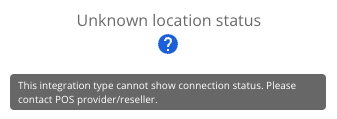
- On the top right you will see ‘Unknown location status’. This is because the POS connects to the Starrtec cloud server, not Tyro Connect directly. It is recommended that if you are experiencing connectivity issues that you contact your POS provider/reseller.
- Orders are being rejected by the POS with the reason ‘No customer present’, ‘No Location to send to' or ‘internal error’ - this is typically momentary due to a brief network drop or the POS can't communicate with the server. It will usually auto-resolve within a few minutes.
- If there is an issue at the venue (e.g. implementation, printing, stock item mapping etc.) - contact support@starrtec.com.au
Starrtec support is the primary contact for the venue - support@starrtec.com.au. Some specific printing issues are mentioned below:
Confirm Tyro Connect is working (orders are going into the POS). If it is working but the dockets are still not printing, then you can contact support@starrtec.com.au to troubleshoot the issue.
This is likely an issue with the configuration at the venue. This will have to be actioned by Starrtec support team at support@starrtec.com.au.
When an item or item modifier is not recognised (does not exist on the POS) it will print to the open web order item that was created.
Step-by-step guide on how a merchant can create and manage their Tyro Connect account.