Integrate your POS with Tyro Pro payment terminals to process card payments, cashouts, and refunds in person, with real-time transaction status delivered back to your system. Integrate your POS with Tyro Pro payment terminals to process card payments, cashouts, and refunds in person, with real-time transaction status delivered back to your system.
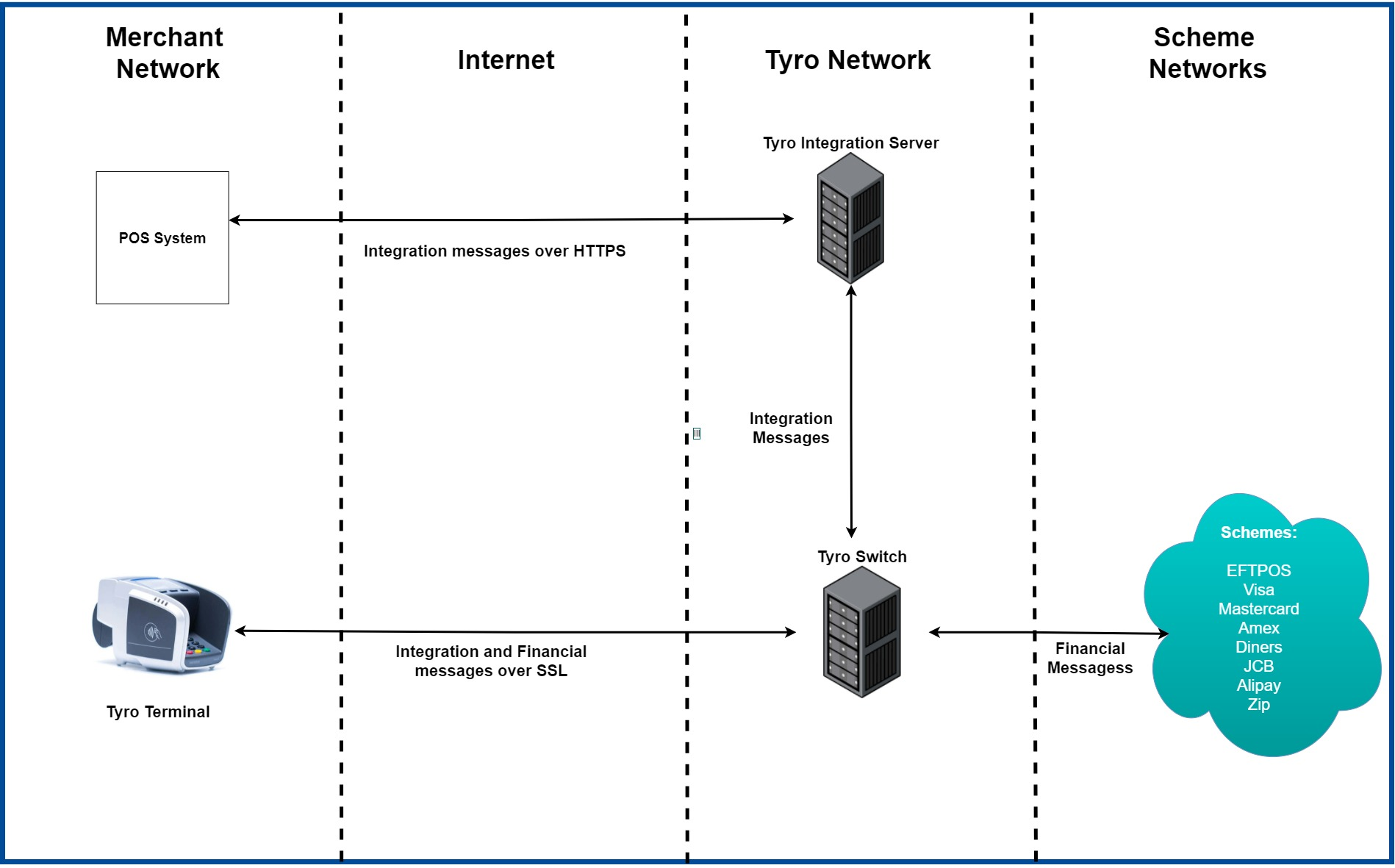
From your POS's perspective, Pay In-Person is how you hand a transaction to a Tyro terminal and get the outcome back. Your POS stays in charge of the sale while the terminal takes over everything that needs the customer to touch a card: tap, insert, swipe, PIN entry, and any receipt or tipping prompts. Once that's done, your POS is notified with the result so it can update the sale and move on.
- Secure and reliable: 99.99% Payment acceptance availability. Keep connected and trading with all-day battery life, WiFi connectivity and 4G mobile backup.
- Smart on-terminal features: Purpose built for your industry to deliver a better experience for customers and staff.
- Take payments wherever business happens: At the counter, On the move, At the table and self-service.
- Secure and reliable: 99.99% Payment acceptance availability. Keep connected and trading with all-day battery life, WiFi connectivity and 4G mobile backup.
- Smart on-terminal features: Purpose built for your industry to deliver a better experience for customers and staff.
- Take payments wherever business happens: At the counter, On the move, At the table and self-service.
- Your POS creates a request for a payment, cashout, or refund, linked to an order or sale in your system.
- The terminal takes over the customer interaction — prompting for tap/insert/swipe, PIN entry, and any receipt or tipping prompts.
- Your POS receives status updates as the transaction progresses, and a final outcome — approved or not approved — once the card issuer responds.
- Your POS can act on an in-progress transaction — retrieving its latest state, responding to a terminal prompt, or cancelling it — using the calls or events for whichever integration path it uses.
Payment lifecycle walks through these stages in full, with the states every integration path shares and a worked example of step 1 in each. Account structure covers the MID/TID structure — how your business and its terminals are represented in Tyro's system — that also applies across all three paths.
| Path | Best for | Platform | Notified via |
|---|---|---|---|
| JS library | A web-based POS payment page | Any browser | Callbacks |
| ↳ Android | A native Android app embedding a WebView, wrapping the JS library | Android | Callbacks |
| ↳ iOS | A native iOS app embedding a WebView, wrapping the JS library | iOS | Callbacks |
| .NET library | .NET POS applications | Windows, .NET 6/7/8 | Events |
| In-store API | Any backend, integrating directly over REST | Any (cloud) | Webhooks |
Feature support differs slightly by path — each feature's page under Features notes which paths it's available on.
Once you've picked an integration method, follow these steps to get a working integration against the simulator before moving to certification.
Step 1
Start integrating
Include the JS library as a script tag — there's no package to install. Choose the headful build for Tyro's ready-made UI, or headless if your POS needs full control over its own transaction interface. See Get started with the JS library.