Integrate with Tyro Tap to Pay SDK to accept in-person payments using a compatible iPhone device.
You will first need to implement Account Authorisation.
An open source sample app is available at: Tyro Tap to Pay SDK iOS Sample App.
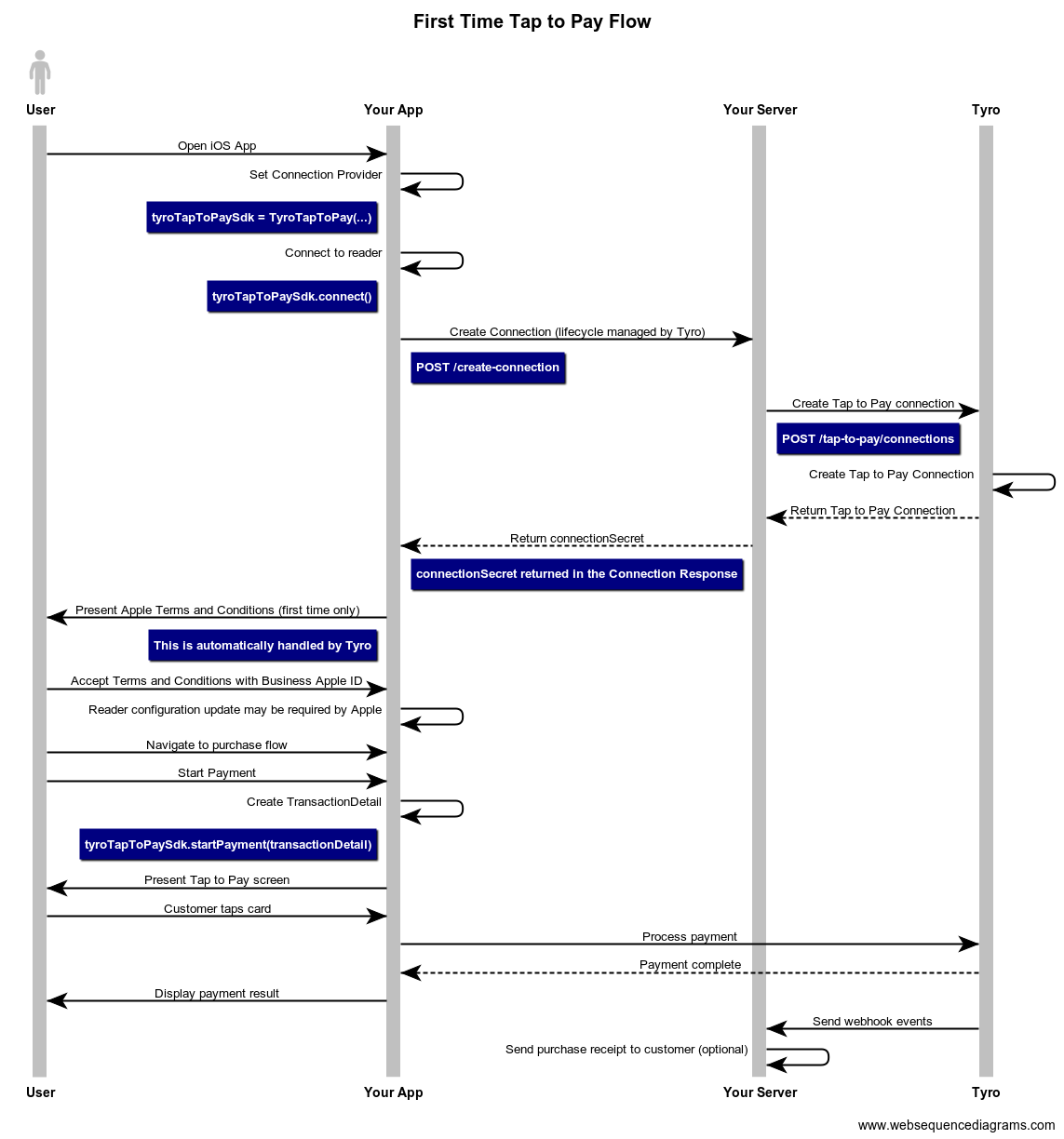
Before the SDK can be used, implement the Tap to Pay connection endpoint.
When your iOS App is first initialised, a request is sent to your server to establish a Tyro Tap to Pay connection. This is required to connect to the Tap to Pay reader. Upon receiving the client request, authenticate your user and send the request to Tyro with the readerId in the request body (obtained from Account Authorisation. The Tap to Pay connection response will return a connectionSecret, this should be returned to your App.
// Node sample code
const express = require("express");
const app = express();
const axios = require('axios');

...

app.post("/create-connection", async (req, res) => {
  const { userIdOrDeviceId } = req.body; // You can associate a user or device to the reader.
  // You will manage the authentication between your server and App.

  const readerId = await this.findReaderIdForUser(userIdOrDeviceId);

  // Create a Embedded Payments connection by providing the location Id
  const connectionResponse = await axios.post('https://api.tyro.com/connect/tap-to-pay/connections',
  {
    "readerId": readerId, // e.g. "f310e43b-a6c9-4c43-9535-ff68b2b9c4a1"
  },
  {
    headers: {
    'Content-Type': 'application/json',
    'Authorization': 'Bearer exampleJwt'
    }
  });

  res.send({
    connectionSecret: connectionResponse.connectionSecret,
  });
});Tyro Tap to Pay SDK for iOS is distributed as a Swift Package via a Github repository.
To add the package dependency to your Xcode project, select File > Add Package Dependency and enter the repository URL: https://github.com/tyro/tyro-tap-to-pay-sdk-ios.
You can also add the package dependency by navigating to your target's General pane > Frameworks, Libraries and Embedded Content section.
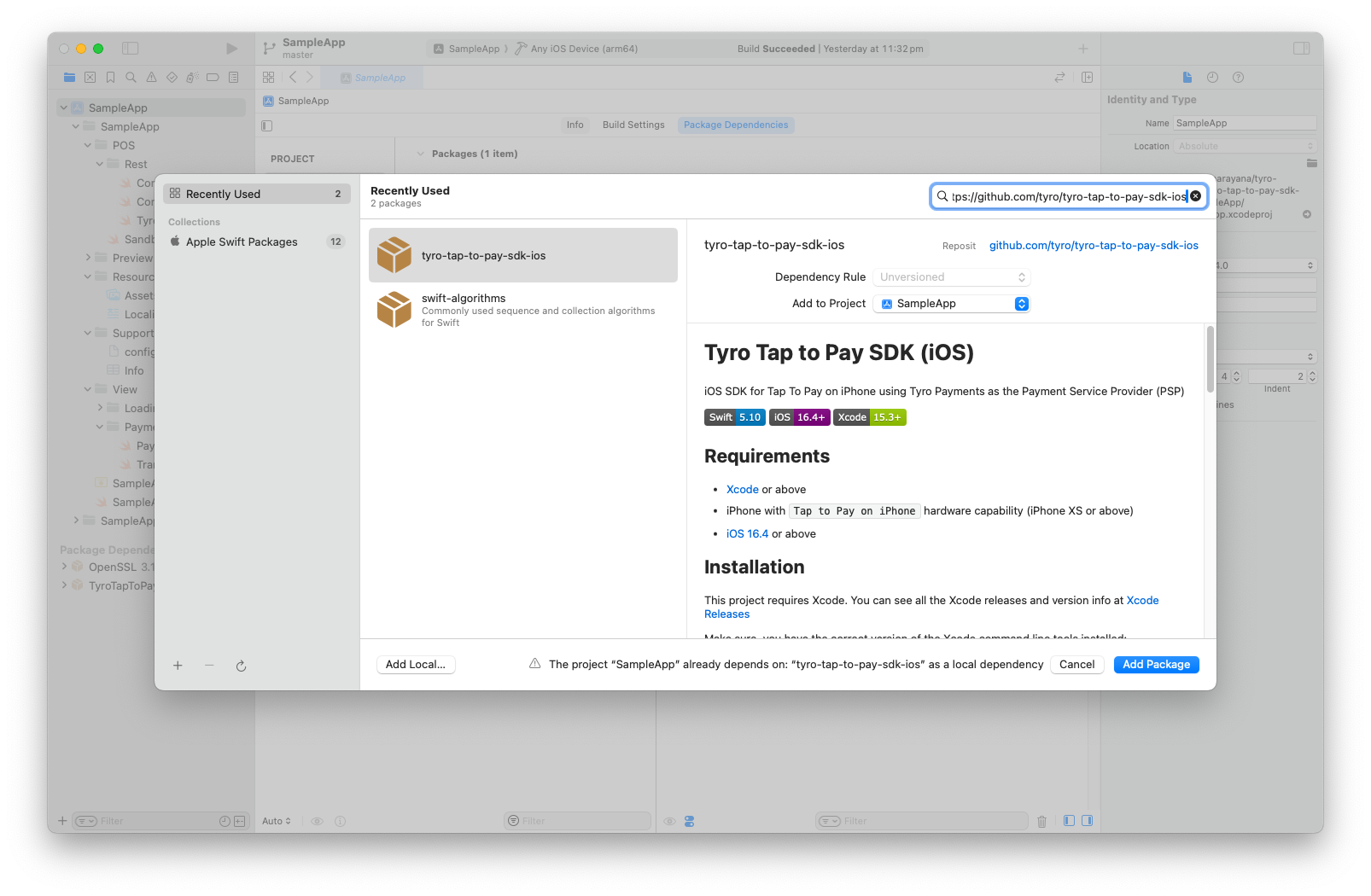
See Apple's documentation for more information about adding package dependencies to your App.
In order to facilitate payment, you must request the Tap to Pay on iPhone entitlement from Apple.
Follow Apple's documentation to obtain the entitlement.
Add the Tyro provided environment config config_uat.env file to your project's Supporting Files sub-directory and add keys to the project Info.plist file.
<?xml version="1.0" encoding="UTF-8"?>
<!DOCTYPE plist PUBLIC "-//Apple//DTD PLIST 1.0//EN" "http://www.apple.com/DTDs/PropertyList-1.0.dtd">
<plist version="1.0">
<dict>
	<key>ACCESS_KEY</key>
	<string>$(ACCESS_KEY)</string>
	<key>APPLICATION_ENV</key>
	<string>$(APPLICATION_ENV)</string>
	<key>ATTESTATION_CERT_PINNING</key>
	<string>$(ATTESTATION_CERT_PINNING)</string>
	<key>ATTESTATION_HOST</key>
	<string>$(ATTESTATION_HOST)</string>
	<key>ATTESTATION_REFRESH_INTERVAL</key>
	<string>${ATTESTATION_REFRESH_INTERVAL}</string>
	<key>KEYLOADING_CA_CERT</key>
	<string>$(KEYLOADING_CA_CERT)</string>
	<key>KEYLOADING_HOST</key>
	<string>$(KEYLOADING_HOST)</string>
	<key>KEYLOADING_HOST_CERT_PINNING</key>
	<string>$(KEYLOADING_HOST_CERT_PINNING)</string>
	<key>SECRET_KEY</key>
	<string>$(SECRET_KEY)</string>
</dict>
</plist>Initialise an instance of the TyroTapToPay class. Pass in the TyroEnvironment and your own implementation of the ConnectionProvider protocol.
For the environment, two environments are available: sandbox and prod. There are limits to using the sandbox environment, see Sandbox Testing for more details.
For the connection provider, you must implement the ConnectionProvider protocol. See ConnectionProvider for more information.
let tyroTapToPaySdk = try TyroTapToPay(
  environment: .prod,
  connectionProvider: connectionProvider
)After initialising the instance, call the connect() function to begin connecting with the reader on the device. This also communicates with your server to fetch the connectionSecret based on the ConnectionProvider that was passed into the TyroTapToPay class when initialised. This step is necessary in order to take payments.
try await tyroTapToPaySdk.connect()The readerUpdatePublisher is a PassthroughSubject exposed by TyroTapToPay to communicate information about the state of the reader on the device. It acts as a UI delegate that signals any changes or updates to the reader.
Ensure you are subscribing to readerUpdatePublisher early in the application lifecycle to capture all events. This is useful for notifying the user of the status of the reader, especially when connecting to the reader.
import Combine

class ViewModel: ObservableObject {
  private var cancellables = Set<AnyCancellable>()

  ...

  init() {
    tyroTapToPaySdk.readerUpdatePublisher
      .sink { event in
        switch event {
        case .updateStarted:
          print("Reader update started")
        case .updateInProgress(let progress):
          print("Updating reader: \(progress)%")
        case .updateCompleted:
          print("Reader update complete")
        case .updateFailed(let error):
          print("ERROR: Reader update failed: \(error)")
        @unknown default:
          print("Unknown reader update event: \(event)")
        }
      }
      .store(in: &cancellables)
  }
}
See Reader Update Publisher for more information about the reader update events.
Users are presented with Apple’s Embedded Payments on iPhone Terms and Conditions the first time they connect to the reader. This process is automatically handled by Tyro.
You must use a valid Apple ID for your company accepting the terms presented by Apple.
If you are connecting to a test environment, you must use a Sandbox Apple ID to accept the terms. You only need to perform this once per company account.
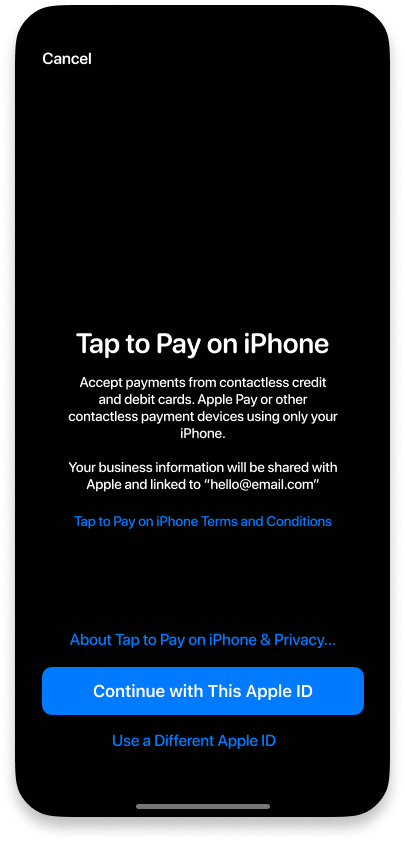
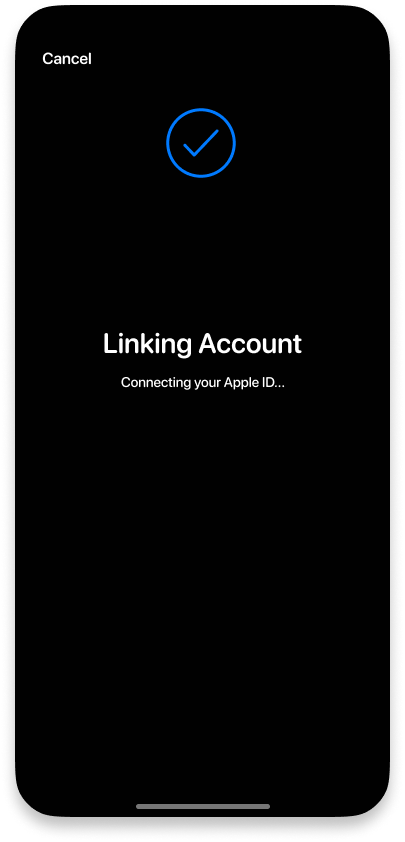
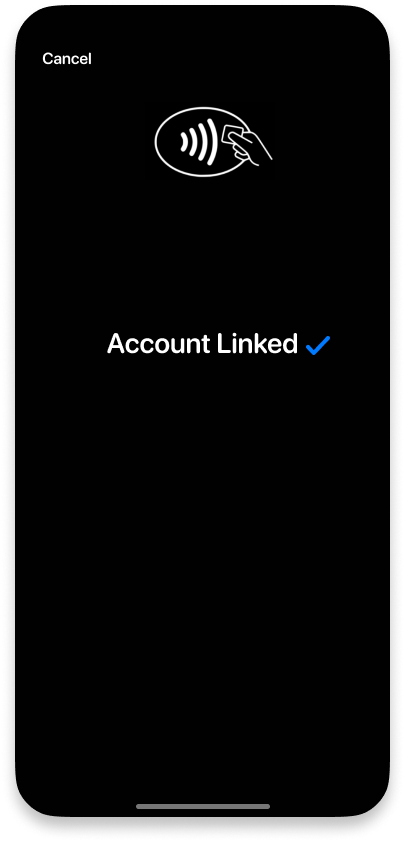
Once the Tap to Pay reader is connected you are ready to take payments.
Before starting the payment, create an instance of PosInformation.
let posInformation = POSInformation(name: "Sample POS",
                                    vendor: "Vendor",
                                    version: "0.1.0",
                                    siteReference: "Sydney")
See PosInformation
To start a transaction, create a new TransactionDetail as soon as the amount is known during your checkout flow.
The amount is in cents.
// Swift Sample Code
class PaymentViewController: UIViewController {
  ...
  func startCheckout(orderId: String) -> TyroTapToPaySDK.TransactionDetail {
    let transactionDetail = TyroTapToPaySDK.TransactionDetail(
      amount: "1000", // $10.00
      referenceNumber: "unique-reference-number",
      posInformation: posInformation  // Created in the previous step
    )
    ...
  }
  ...
}Initiate a payment by invoking startPayment(transactionDetail).
try await tapToPaySdk.startPayment(transactionDetail: transactionDetail)Your POS application must provide a button for administrators to access Tyro settings. This is required to set the mandatory refund password. Add a button which renders the SwiftUI TyroSettingsView upon click.
TyroSettingsView()To refund a payment, invoke the refundPayment(transactionDetail) function.
try await tapToPaySdk.refundPayment(transactionDetail: transactionDetail)Tyro will display the Tap to Pay screen and prompt the customer to tap the screen. Once the customer has made the payment, it will automatically be processed through Tyro.
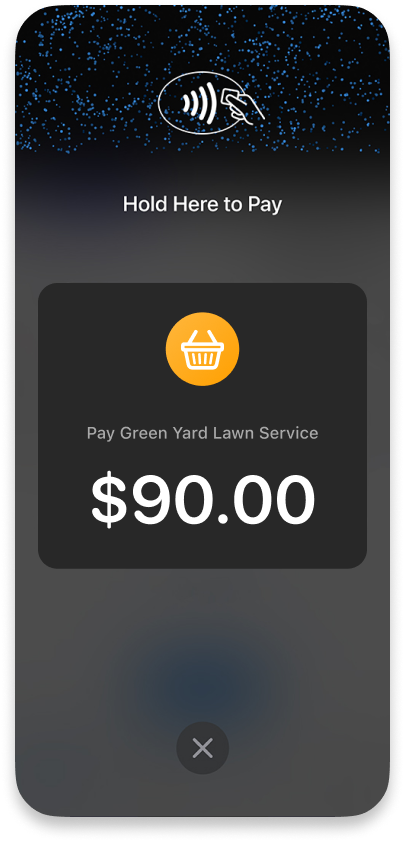
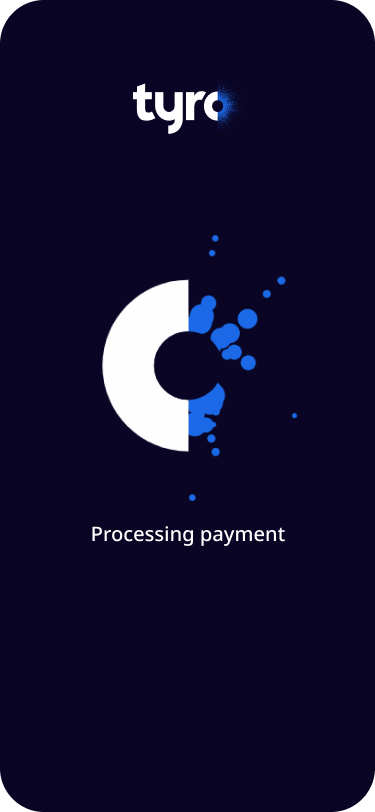
The payment result will be returned in the response in a TransactionOutcome. Save the transactionID to your server as it is used to reference the payment. See TransactionOutcome.
Display the payment result in your app.
An error will be thrown if the payment was unsuccessful.
// Swift Sample Code
class PaymentViewController: UIViewController {
  ...
  fun startPayment(paymentRequest: PaymentRequest) async {
    do {
      let paymentResult = try await TyroTapToPay.shared.startPayment(paymentRequest)

      var outcomeMsg = "Status :: " + paymentResult.statusCode + " - " +
      paymentResult.statusMessage + "\n"
      outcomeMsg += "Amount auth :: " + paymentResult.amount + "\n"
      outcomeMsg += "Transaction ID :: " + paymentResult.transactionID + "\n"
      outcomeMsg += "Transaction date :: " + paymentResult.transactionDate + "\n"
      outcomeMsg += "Transaction time :: " + paymentResult.transactionTime + "\n"
      outcomeMsg += "Approval code :: " + paymentResult.approvalCode + "\n"
      outcomeMsg += "Card type :: " + paymentResult.cardType + "\n"
      outcomeMsg += "Elided PAN :: " + paymentResult.elidedPan + "\n"
      outcomeMsg += "Retrieval reference number :: " + paymentResult.retrievalReferenceNumber + "\n"
      outcomeMsg += "Transaction reference :: " + paymentResult.transactionReference + "\n"
      // Display success to user
      print(outcomeMsg)
    } catch {
      // Display error to user
      print("Transaction failed.(" + error!.code + ":" + error!.message + ")")
    }
    ...
  }
  ...
}
See Start payment for more information.
You must also notify the SDK of scene changes by invoking tapToPaySdk.didChange(scenePhase: ScenePhase) function when the application enters the foreground or background.
This modifier should be added to the main ContentView of the application.
var body: some View {
  ContentView()
    .onChange(of: scenePhase) { (_, newValue) in
      Task.detached {
        await tapToPaySdk.didChange(scenePhase: newValue)
      }
    }
}
See Scene Changes for more information.
A Sample Xcode app is provided in the Github iOS SDK repository, it can be found here.
If you wish to run the Sample App, you must update the readerId in the SandboxConnectionProvider file with the reader id you have been provided during onboarding.
Webhook events are sent once a payment has occurred. Your server should listen to these vents and handle them as required, such as sending a payment receipt email.
If you have any further questions or need to raise a support request, please use our new Integration Support Portal